Run a real-estate photo studio in one place
Last updated 2026-11-25 · Venu Gopal Reddy Muvva, founder
ListingPhotoStudio lets you run your entire studio from a single dashboard. You can manage agent bookings, process payments, and deliver edited photos to clients. You can also invite your team and monitor the quality control queue for all listings.
Steps
- Set up your studio. Create your studio profile and add your brand details so agents see your name and colors on their booking page.
- Invite your team. In Settings → Team, create invite links for assistants and editors. They join your workspace as members or owners.
- Manage agent bookings. Agents book shoot slots through your white-label portal and pay online using the integrated payment system.
- Process and deliver. Upload the shoot, run the automatic edits, and share the branded delivery link with the agent for downloads.
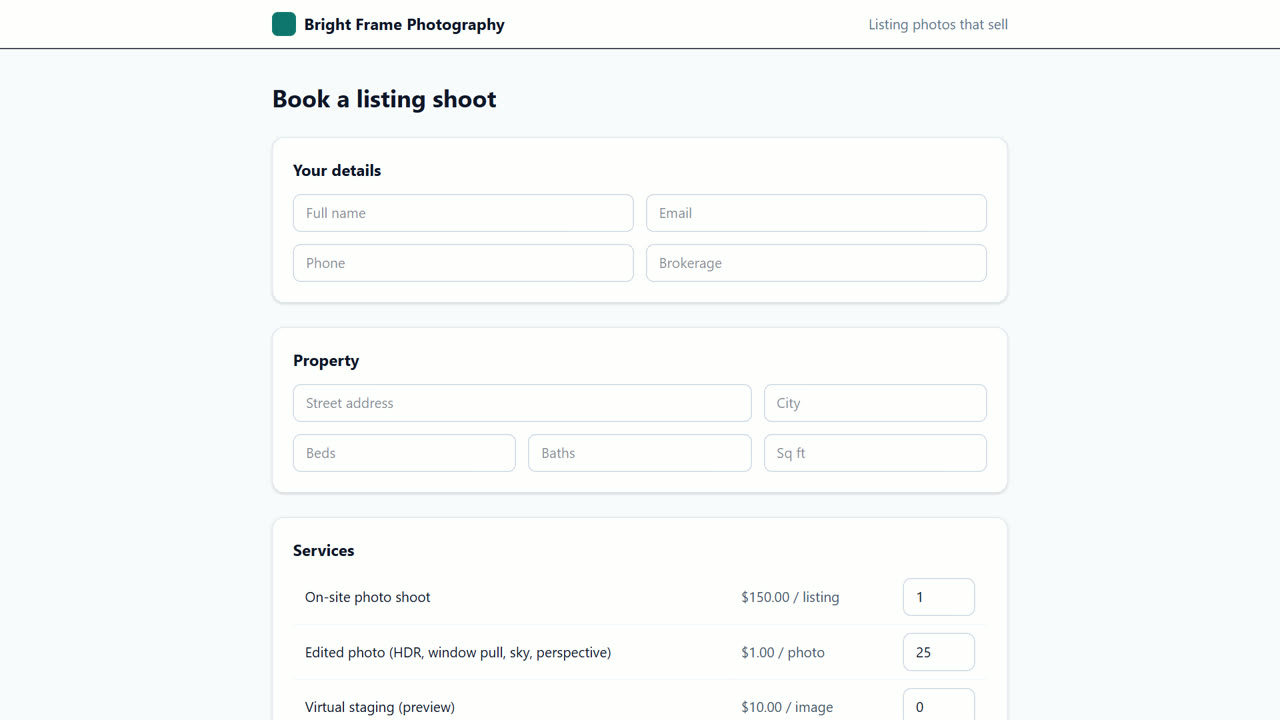
Centralized order management
You do not need separate tools for bookings, payments, and delivery. The agent portal handles the entire workflow. Agents select their services, pick a time slot, and pay through Razorpay. You see these orders in your dashboard. This keeps your studio organized and reduces the time you spend switching between different software platforms to manage a single client.
Team collaboration and roles
Invite your staff to work in the same studio. Each invite is a one-time link by email, with the role member or owner. Everyone in the workspace sees its listings, orders and clients, so files don't go back and forth by email. If you work for more than one studio, a workspace switcher in the header moves you between them.
Quality control and delivery
Every photo gets a quality score. If a photo scores low, it goes to a human review queue. You can track these items and ensure they meet your standards before delivery. Once approved, the system creates a branded delivery page for your agent. The agent can download the final photos and request revisions if needed. This process ensures consistent quality and professional communication with your clients.
When ListingPhotoStudio is not the right tool
ListingPhotoStudio is not a replacement for a full accounting system or a complex project management tool. It is designed specifically for real-estate photography workflows. If you need to manage non-photography services or require advanced financial reporting, you should use dedicated business software. This tool focuses on the specific needs of photo studios, such as image editing, MLS compliance, and client delivery.
Questions
Can I invite multiple photographers to my studio?
Yes. Invite as many team members as you need from Settings → Team. They see the studio's listings and can upload and process photos, without sharing your login.
How do agents pay for their shoots?
Agents pay on your order page through Razorpay. You set your own prices for each service. Paid orders appear under Orders and you get an email for each new booking.
What happens if a photo fails the quality check?
The system assigns a score to each photo. If the score is low, the photo moves to a human QC queue. You or your team can review it and make adjustments. This ensures that only high-quality images are delivered to your agents.
Is there a limit to how many agents I can serve?
No limit is set. Add as many agents (clients) and listings as you need.
Related
Free for your first 14 days. Then pay only for what you use.
Start free — 14 days on us