AI photo editing for real-estate photographers
Last updated 2026-11-25 · Venu Gopal Reddy Muvva, founder
ListingPhotoStudio edits your real estate photos automatically to save time. It handles HDR merging, window pulls, and sky replacements in minutes. You avoid per-photo fees and get same-day delivery for your listings.
Steps
- Create your studio. Sign up free with your name, email and a password (or Google). No card.
- Set up your brand. Add your studio name, brand color, and tagline during the onboarding process.
- Create a listing. Start a new listing with the property address. Add details like beds, baths, and price if you have them.
- Upload photos. Upload JPEG or PNG files. Group bracketed shots by file name or set a fixed count per photo.
- Process edits. Click to process all photos. The system applies HDR, window pull, and sky fixes automatically.
- Deliver to agent. Share the delivery page link with your agent. They can download the edited photos and request revisions.
Save time on edits
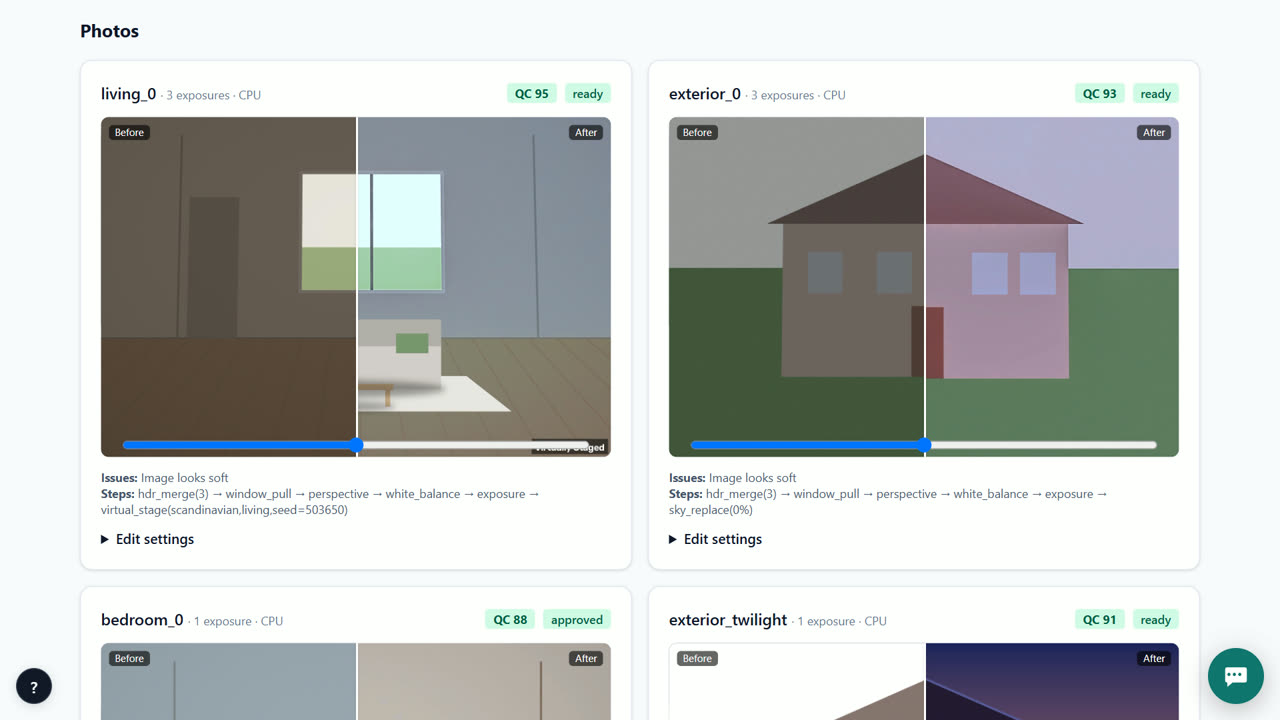
You shoot multiple listings a day. Manual editing takes hours. ListingPhotoStudio processes your photos in minutes. It handles HDR merging, window pulls, and sky replacements automatically. You can review the results and deliver them the same day. This frees up your time for shooting. You do not need to wait for a human editor. The system works while you move to the next job. You get consistent quality without the daily grind of manual adjustments.
Quality control built in
Every photo gets a score from 0 to 100 from seven checks (exposure, blown highlights, crushed shadows, colour cast, vertical tilt, softness and noise) plus MLS resolution. If a score is below your threshold, the photo is re-edited automatically, up to three times. If it is still low, it goes to the human QC queue with a deadline. You see the issues named for each photo, so you only look closely at the ones that need it.
Fair and simple pricing
You are free for your first 14 days. After that, a photo edit costs ₹21 (about $0.25), down to ₹16.80 with bigger packs, and 20 photo edits a month stay free. That is about half of what other AI editors charge per photo. You do not need a monthly plan. If you shoot less one month, you pay less. If you shoot more, you pay more. It scales with your work. You never pay for unused capacity or minimums.
MLS compliance
Twilight, staged and object-removed photos get a disclosure label on the MLS copy, the unlabeled originals are kept separately, and MLS copies are never branded. Listing remarks are scanned for fair-housing words. You don't have to remember which photos need labels; it is part of the workflow.
When ListingPhotoStudio is not the right tool
This tool is not for you if you need photorealistic virtual staging today. That feature is coming soon, not available. It is also not for you if you need a Lightroom plugin or a native mobile app. Those are not built yet. If you only need high-volume editing on a subscription, other tools might fit. If you want a human editor on every photo, look elsewhere. This tool is for photographers who want fast, automated editing.
Questions
Is it really free for the first 14 days?
Yes. You can use the full service free for 14 days, no card needed. After that, you pay ₹21 a photo beyond the 20 free each month. There is no monthly fee. Full refund within 7 days of payment, no questions asked.
Can I upload RAW files?
No. You can only upload JPEG and PNG files. RAW file support is not available yet. You should convert your files to JPEG or PNG before uploading them to the system.
Does it do virtual staging?
Photorealistic virtual staging is not available yet. There is a simple preview mode that draws basic furniture. This is not a final product. The full AI staging feature is coming soon. Do not rely on it for client delivery today.
How does the quality score work?
Each photo gets a score from 0 to 100 from seven checks such as exposure, colour cast and softness. Below your threshold it is re-edited up to three times; if still low, it goes to the human QC queue.
Related
Free for your first 14 days. Then pay only for what you use.
Start free — 14 days on us