Day-to-dusk (virtual twilight) photo editing
Last updated 2026-11-25 · Venu Gopal Reddy Muvva, founder
ListingPhotoStudio automatically turns your daytime exterior photos into twilight shots. It adds a dusk sky and makes windows glow to look like evening. The tool adds a disclosure label to the MLS copy to keep you compliant.
Steps
- Upload exterior photos. Go to your listing page and upload your daytime exterior JPEG or PNG files. You can also use Dropbox or Google Drive share links, which are in beta.
- Select twilight edit. On the listing page, open the photo's edit options and tick Day-to-twilight. Leave MLS disclosure label ticked so the MLS copy is labelled.
- Process the photos. Click the button to process all photos. The system will replace the sky with a dusk scene and adjust the window lighting to match the new time of day.
- Review the QC score. Check the quality score for each photo. If it is below your threshold, the photo is re-edited automatically and then goes to the human QC queue.
- Download MLS copies. Download the final files from your delivery page. The MLS copies will have a disclosure label added to show that the photo was edited.
How the twilight edit works
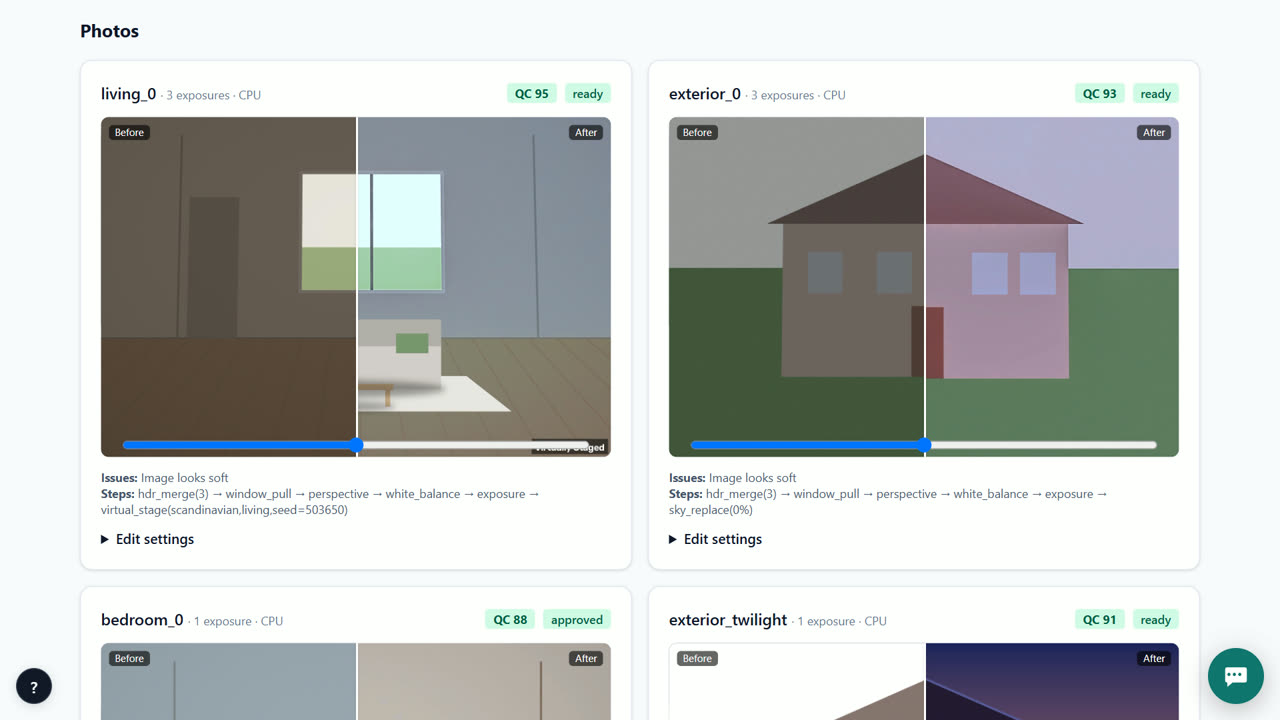
The system takes your daytime exterior photo and replaces the sky with a dusk scene. It also adjusts the lighting inside the windows so they glow, mimicking the look of an evening shot. This process runs automatically when you select the twilight option. You do not need to paint the sky or adjust the windows by hand. The result is a photo that looks like it was taken at sunset, which often helps listings stand out in the MLS.
MLS compliance and disclosure
Many MLS systems require a note when a photo has been altered. When you download the MLS copy of a twilight photo, it carries a visible disclosure label. The unlabeled original is kept in a separate folder marked not for MLS. You don't have to add the label in another program. Check your own MLS's rules too: they differ by region, and the label is there to help, not to replace your own check.
Quality control for twilight shots
Every photo, including twilight ones, gets a score from 0 to 100 from seven checks (exposure, blown highlights, crushed shadows, colour cast, vertical tilt, softness and noise) plus MLS resolution. The issues are named. If a photo scores below your threshold, it is re-edited automatically up to three times. If it is still low, it goes to the human QC queue with a deadline. The score checks the photo's technical quality; it does not judge whether the dusk look suits the house, so look at each one before delivery.
When to use twilight editing
Use it on exterior shots taken in daylight, ideally with visible windows that can glow. If you upload a bracketed set of the exterior, the brackets are merged first and the twilight effect is applied to the merged photo. Many photographers deliver both versions: the daytime photo and a twilight copy. Upload the exterior once more as its own photo and tick twilight on that copy only.
When ListingPhotoStudio is not the right tool
ListingPhotoStudio is not the right tool if you need photoreal AI virtual staging today. That feature is coming soon, and the current version only offers a simple CPU preview. If you need a Lightroom plugin or a native mobile app, this product does not have them yet. It also does not support RAW file uploads, only JPEG and PNG. If your workflow requires direct MLS upload via RESO, you will need to download the files and upload them manually to your MLS system.
Questions
Does the twilight edit change the original photo?
No. The system creates a new edited version. Your original photo is kept safe in your files. You can always download the unedited original if you need it.
Is the twilight feature available for free?
Yes, for your first 14 days. After that it is part of the photo edit: ₹21 (about $0.25) per photo, with 20 photo edits free every month.
Can I use twilight on interior photos?
No. The twilight edit is designed for exterior shots. It changes the sky and window lighting. Interior photos do not have a sky to replace, so this feature does not apply to them.
How do I add the disclosure label?
You do not need to add it manually. The system adds the disclosure label to the MLS copy automatically. This ensures the photo meets MLS requirements for edited images.
Related
Free for your first 14 days. Then pay only for what you use.
Start free — 14 days on us