Replace a grey sky in real estate photos
Last updated 2026-11-25 · Venu Gopal Reddy Muvva, founder
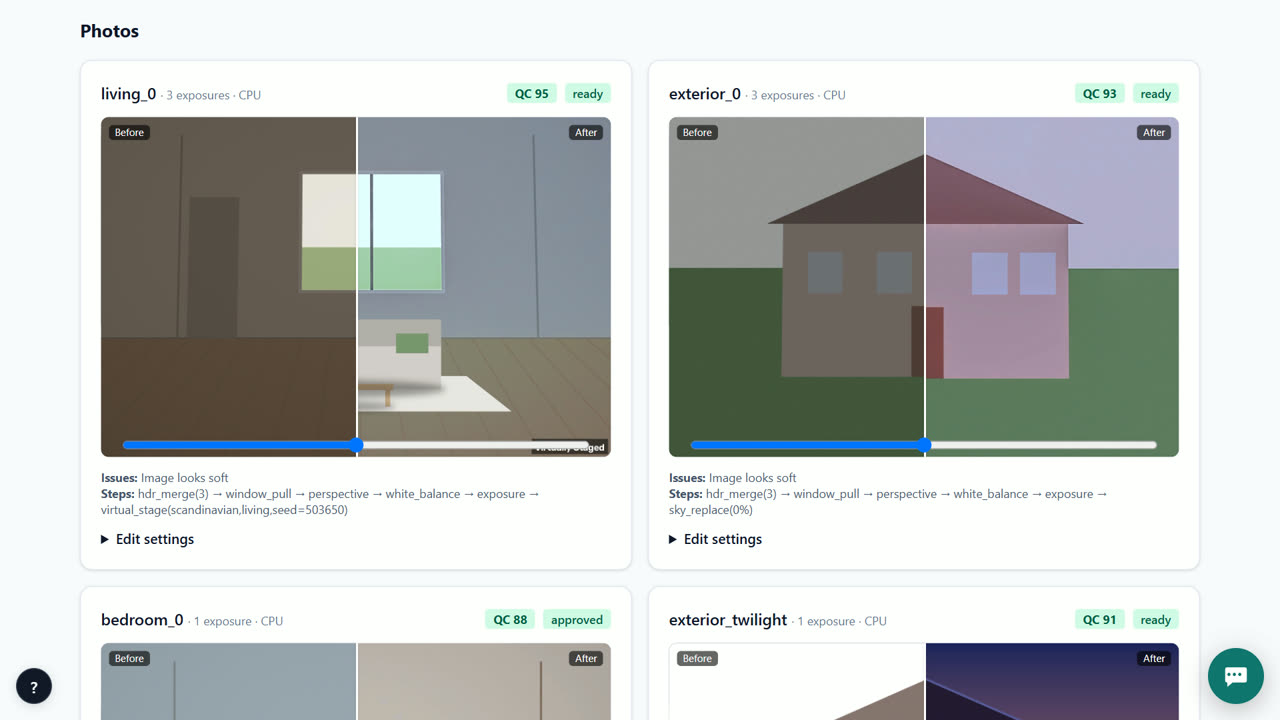
ListingPhotoStudio replaces grey skies on exterior photos. Photos whose file names suggest an exterior (ext, front, back, yard, facade, outside) get a blue sky by default, and you can pick blue, sunset or keep the sky on any photo.
Steps
- Upload exterior photos. Add your JPEG or PNG files to a listing. File names like front_1.jpg or exterior_2.jpg get a blue sky by default.
- Process the shoot. Click Process all photos. Exterior photos get the new sky in the same step as HDR, window pull and white balance.
- Review the QC score. Check the 0-100 quality score for each photo. Low scores are re-edited automatically up to three times.
- Download the files. Download the edited photos from the delivery page.
Which photos get a new sky
When you upload, photos whose file names contain ext, front, back, yard, facade or outside are treated as exteriors and get a blue sky by default. For other photos, open the edit options and choose a sky. The sky area is found from colour, texture and its link to the top of the frame.
Blue or Sunset Options
Each photo's edit options have a Sky choice: Keep, Blue sky or Sunset. Set it per photo, for example sunset on one hero exterior and blue on the rest. For a full evening look with glowing windows, use day-to-twilight instead. Sky replacement runs in the same step as HDR and window pull.
MLS rules
A sky swap does not add a disclosure label; labels go on twilight, staged and object-removed photos. Some MLSs have rules about sky changes too, so check yours. MLS copies are never branded.
Quality Control Checks
Every photo gets a score from 0 to 100 from seven checks (exposure, blown highlights, crushed shadows, colour cast, vertical tilt, softness and noise) plus MLS resolution. Below your threshold it is re-edited automatically up to three times, then goes to the human QC queue. The score checks technical quality, not whether the new sky looks right, so look at sky swaps before delivery.
When ListingPhotoStudio is not the right tool
This tool is not for interior-only shoots or RAW files. If you need photoreal AI virtual staging, it is not available yet. For direct MLS upload, you must use the ZIP download. If you want a Lightroom plugin, it is not built. Use a manual editor if you need complex compositing beyond simple sky swaps.
Questions
Does it work on interior photos?
No, sky replacement only applies to exterior shots. Interior photos are processed for HDR, window pull, and white balance, but the sky is not changed.
Can I choose between blue and sunset?
Yes, per photo: Keep, Blue sky or Sunset in the photo's edit options.
Is the original photo saved?
Your uploaded files stay on the listing. Separate unlabeled originals are made for photos that get a disclosure label (twilight, staging, object removal).
What if the sky looks bad?
Change the photo's sky choice or set it to Keep, then process that photo again. Photos with a low QC score are re-edited automatically and can go to the human QC queue.
Related
Free for your first 14 days. Then pay only for what you use.
Start free — 14 days on us