How to do a window pull in real estate photos
Last updated 2026-11-25 · Venu Gopal Reddy Muvva, founder
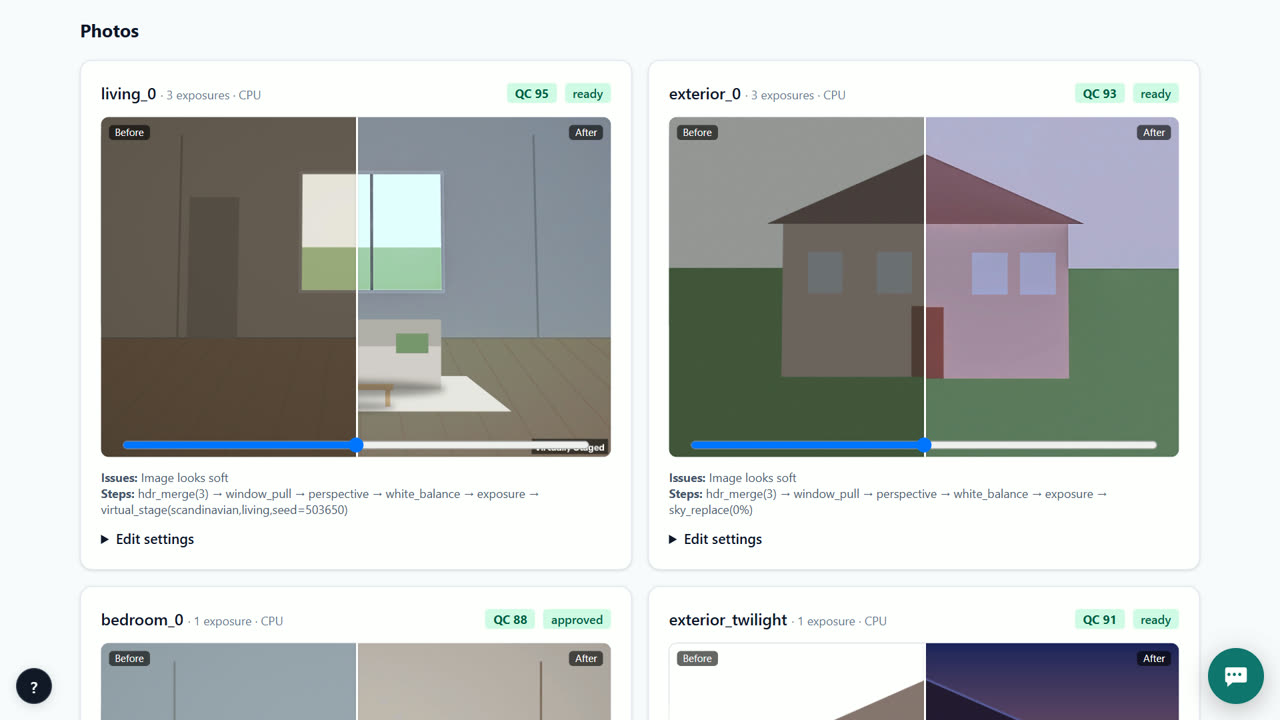
ListingPhotoStudio automatically pulls the view through bright windows during processing. It uses your darkest exposure bracket to recover details that are usually lost in white squares. You do not need to edit each window by hand.
Steps
- Upload your bracket. Upload the set of photos for one room. Include the darkest shot in the group so the software can see the view outside.
- Start processing. Click the process button. The system aligns the images and merges them into a single high-dynamic range photo.
- Check the result. View the edited photo. The window should show the outside view clearly instead of a bright white area.
- Review the score. Look at the quality score. If the window is still too bright, the system may re-edit it automatically to improve the detail.
Why windows turn white
Bright windows often look like white squares in standard photos. This happens because the camera cannot capture both the dark room and the bright sky outside at the same time. If you only take one photo, the bright window loses all detail. You need multiple shots at different exposures to keep the view visible. This is called bracketing. The darkest shot in your group holds the information needed to see through the glass.
How the merge works
ListingPhotoStudio aligns your bracketed photos to remove any slight movement. It then combines the best parts of each exposure into one image. The software uses the darkest frame to recover the view through the window. It uses the brighter frames to keep the interior details sharp. This process is called HDR merging. It happens automatically for every photo you upload. You do not need to select specific layers or adjust sliders manually.
Quality control checks
After the merge, every photo is scored from 0 to 100 from seven checks (exposure, blown highlights, crushed shadows, colour cast, vertical tilt, softness and noise) plus MLS resolution. Blown highlights are one of the checks, so a window that is still white lowers the score. Below your threshold, the photo is re-edited automatically up to three times, then goes to the human QC queue.
Delivering the final file
When processing finishes, the photo is ready on the delivery page in an MLS copy and a branded copy. A window pull alone doesn't need a disclosure label. Photos under 1024 px wide are flagged for MLS resolution. Share the link with your agent as soon as the listing is ready.
When ListingPhotoStudio is not the right tool
If you need to edit RAW files, this tool is not for you. It only accepts JPEG and PNG formats. If you require a Lightroom plugin or a native mobile app, those are not available yet. If you need photorealistic virtual staging, that feature is still in development. For those needs, consider using dedicated desktop software or waiting for future updates.
Questions
Do I need to take three or five photos?
Brackets of 3 or 5 give the best window view, because the darkest shot holds the view outside. With a single photo, the bright highlights are softened instead, which helps but can't bring back a view that wasn't captured.
What if the window is still white?
Blown highlights lower the QC score, so the photo is re-edited automatically up to three times and then goes to the human QC queue.
Can I upload RAW files?
No, RAW uploads are not available yet. You must convert your photos to JPEG or PNG before uploading them to the platform.
Related
Free for your first 14 days. Then pay only for what you use.
Start free — 14 days on us